Cost control

How to Track an Unwanted Subscription?

This guide shows founders and ops leads what to do when an unwanted subscription charge appears on a personal or company card. It covers immediate cancellation steps, when to involve the bank, and how to stop hidden renewals from piling up.

5 min. read

Stop Unwanted Subscriptions — Subsight article thumbnail with a cancellation symbol on a lime tile.
No headings found in content area

TL;DR

  • Identify the real billing source.
    Check the statement line, receipt emails, app-store subscriptions, and PayPal first.

  • Cancel at the subscription layer first.
    End the plan inside the vendor account, Apple subscriptions, Google Play, or PayPal. Deleting the app usually changes nothing.

  • Protect the next billing date.
    If the merchant is slow or unresponsive, ask your issuer or bank how to block the recurring payment and lock the card if fraud looks possible.

  • Treat disputes as a separate step.
    Canceling stops future charges. A dispute is for past charges that were unauthorized or kept billing after cancellation.
Unexpected recurring charges appear at the worst moment: the descriptor is vague, the renewal is close, and nobody remembers setting it up. The fix: identify the billing source, cancel it where it lives, stop the next payment if needed, and dispute charges that should not have gone through.

How to find and cancel unwanted subscriptions?

Start with the charge itself: match the statement line to the vendor, then check the subscription in the vendor account, Apple subscriptions, Google Play subscriptions, or PayPal automatic payments. Cancel it there first. If billing is still at risk, contact your issuer next.

Step 1: Identify where the charge is really coming from

Start by matching the charge to the system that created it.

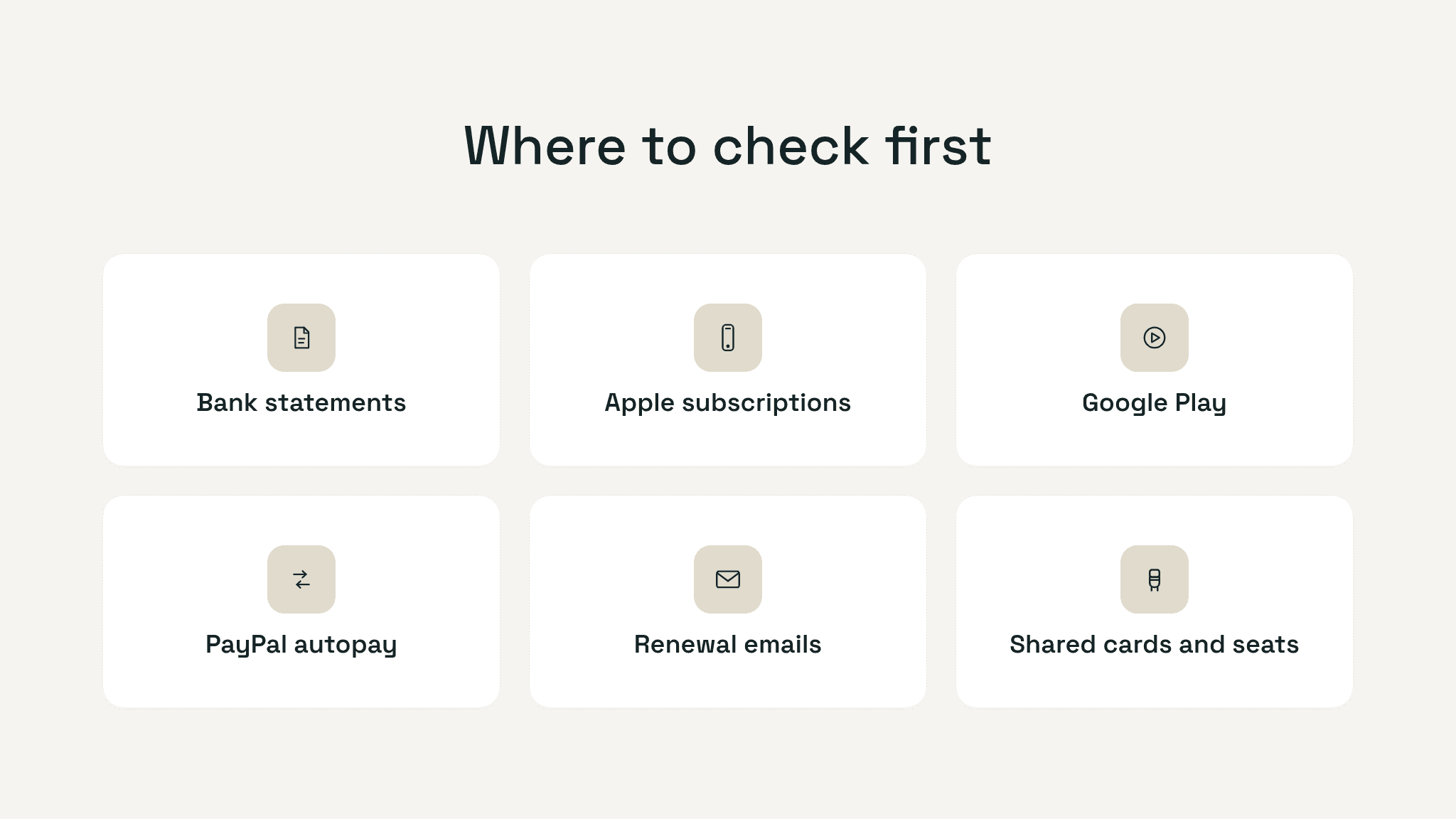
Look in five places:

  1. Your card or bank statement for the billing descriptor.

  2. Your email for receipts, trial confirmations, and renewal notices.

  3. Your Apple or Google subscription settings if the charge came through an app.

  4. Your PayPal account if you tend to approve automatic payments there.

  5. Shared or work cards if the charge might belong to a teammate or account.

Grid showing the places to check for hidden subscriptions: bank statements, Apple subscriptions, Google Play, PayPal autopay, renewal emails, and shared cards or seats.

If the descriptor is unfamiliar, ask the card issuer for more merchant detail.

Unexpected recurring charges appear at the worst moment: the descriptor is vague, the renewal is close, and nobody remembers setting it up. The fix: identify the billing source, cancel it where it lives, stop the next payment if needed, and dispute charges that should not have gone through.

How to find and cancel unwanted subscriptions?

Start with the charge itself: match the statement line to the vendor, then check the subscription in the vendor account, Apple subscriptions, Google Play subscriptions, or PayPal automatic payments. Cancel it there first. If billing is still at risk, contact your issuer next.

Step 1: Identify where the charge is really coming from

Start by matching the charge to the system that created it.

Look in five places:

  1. Your card or bank statement for the billing descriptor.

  2. Your email for receipts, trial confirmations, and renewal notices.

  3. Your Apple or Google subscription settings if the charge came through an app.

  4. Your PayPal account if you tend to approve automatic payments there.

  5. Shared or work cards if the charge might belong to a teammate or account.

Grid showing the places to check for hidden subscriptions: bank statements, Apple subscriptions, Google Play, PayPal autopay, renewal emails, and shared cards or seats.

If the descriptor is unfamiliar, ask the card issuer for more merchant detail.

Track your SaaS spend

Get full visibility into subscriptions, owners, and upcoming renewals.

Join 100+ founders in line

Step 2: Cancel it at the billing source, not just in the app

Once you know where the subscription lives, cancel it there immediately. If it is a direct subscription, go to the vendor account, billing page, or renewal settings, and keep proof.

If it is billed through Apple, use Apple’s official cancel a subscription flow. If it is billed through Google Play, use Google’s cancel, pause, or change a subscription instructions. If it runs through PayPal, check automatic payments.

Deleting the app is not the same as canceling the subscription.

If the company used a confusing free trial or made cancellation unnecessarily hard, the FTC’s subscription guidance is a useful benchmark for what a fair flow should look like.

If this charge sits on a company card, treat it as an ownership problem fast. Charges with no clear owner tend to outlive the people who signed up for them.

Step 3: Stop the next charge if the merchant is dragging its feet

If the vendor is slow or unresponsive, contact the bank or card issuer, share the merchant name, charge date, and cancellation steps you already took, and ask how to stop future recurring payments.

If the charge looks fraudulent, lock or freeze the card in the banking app.

Keep an evidence trail:

  • screenshot of the subscription page

  • screenshot or email showing cancellation

  • statement line with date and amount

That documentation helps with any later dispute.

Still tracking this manually?

Subsight automatically maps your tools, owners, and renewal timelines in one place.
Join 100+ founders in line

Step 4: Know when to dispute the charge

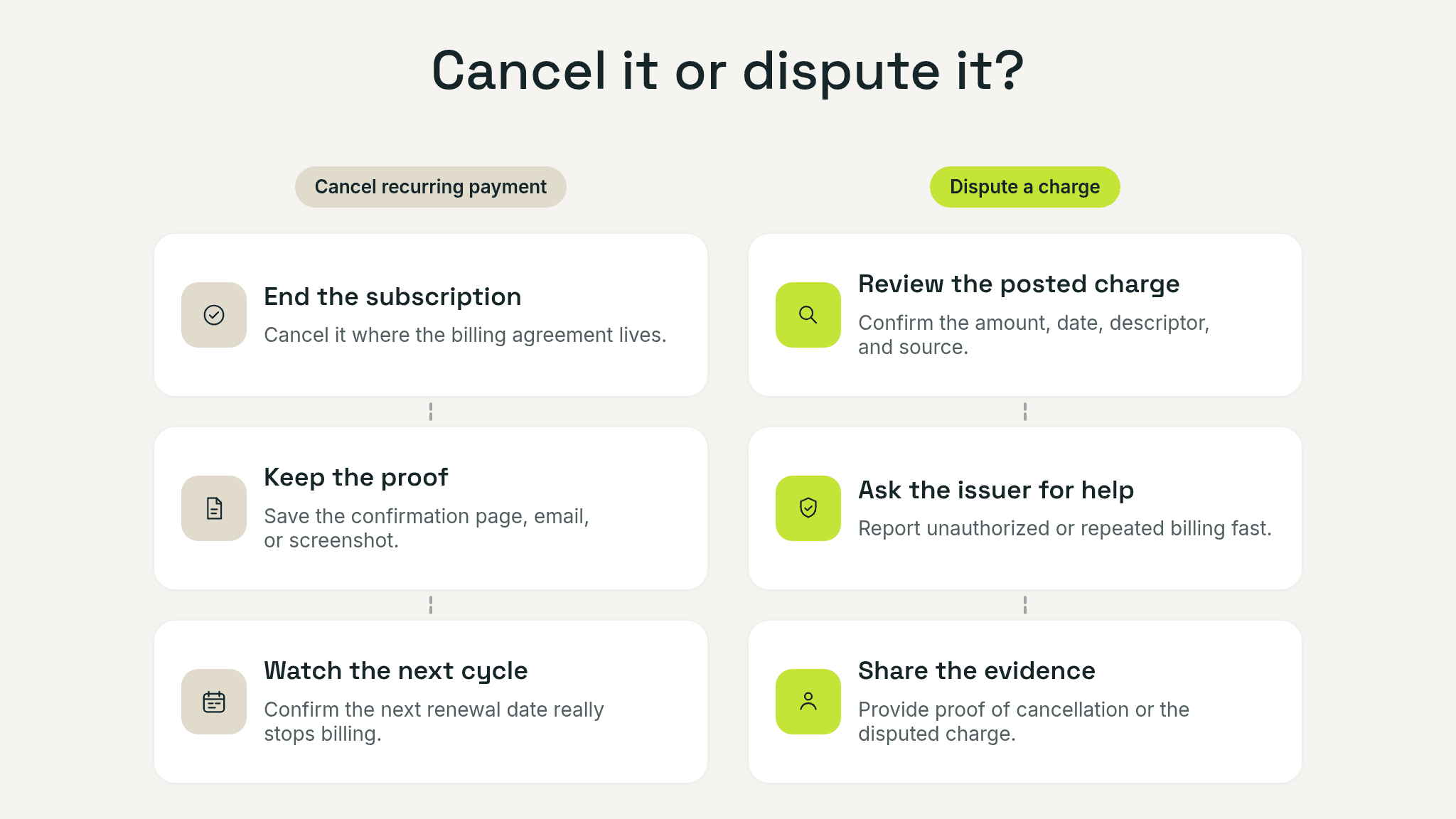
Canceling stops future billing. A dispute is about getting money back for a charge that should not have happened.

Use a dispute when the charge was unauthorized, the merchant kept billing after cancellation, or the service was materially misrepresented. In the U.S., the CFPB says you should notify the card company right away and send a written billing error notice within 60 days after the statement with the charge was sent. See its guides on disputing a charge on your credit card bill and fixing mistakes in your credit card bill.

Side-by-side comparison showing canceling a recurring payment on one side and disputing a charge on the other.

For unauthorized bank-account withdrawals, the CFPB says to notify the bank right away, with a 60-day outer limit in the U.S. after the statement is sent under its guidance on unauthorized transactions. Outside the U.S., check local bank rules.

How to keep hidden subscriptions from coming back

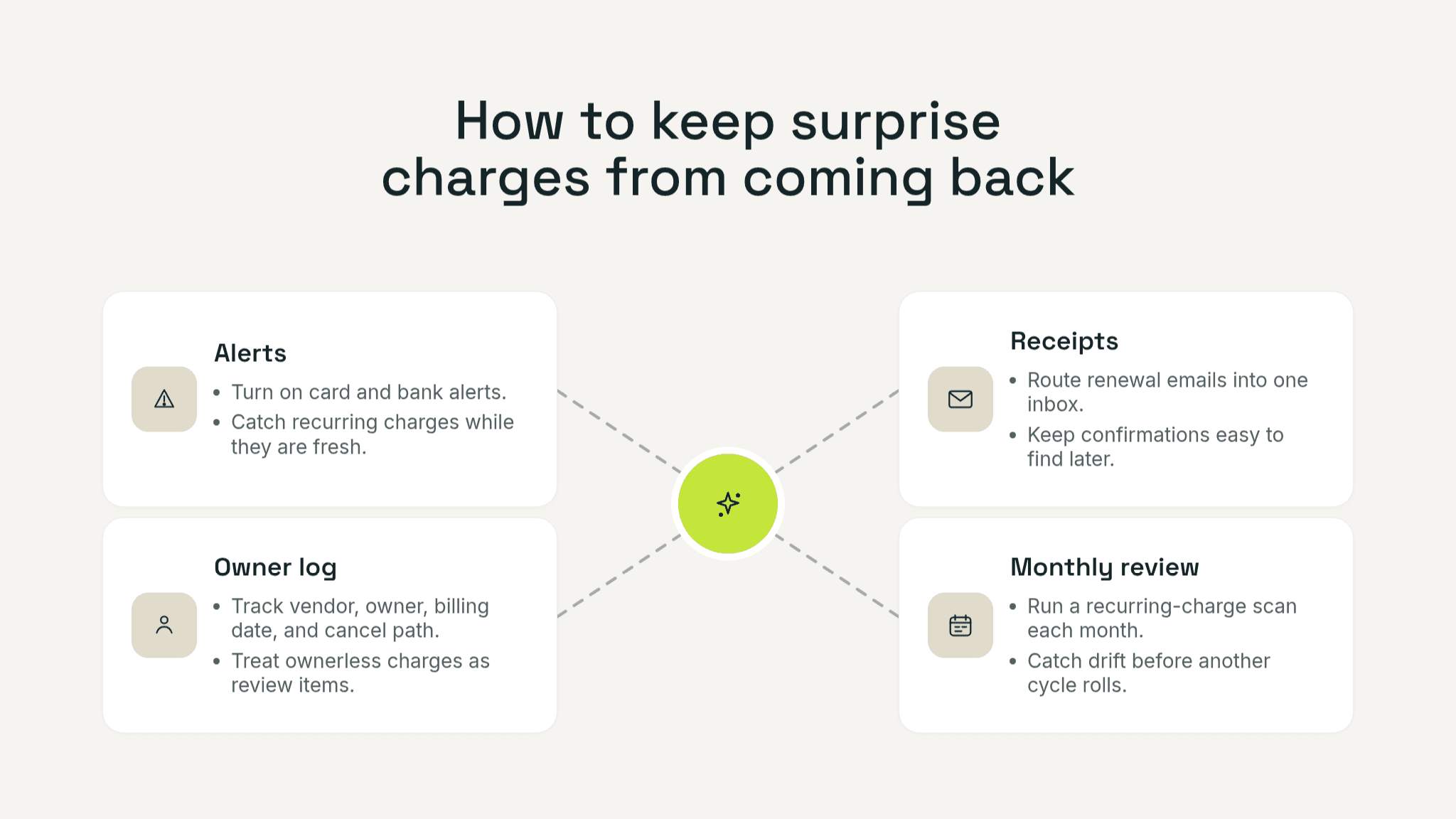
The long-term fix: review statements weekly, set alerts for recurring merchants, and keep one list of renewals and owners.

Four-part prevention graphic showing alerts, renewal receipts, owner log, and a monthly review routine.

If you are doing this across company cards, stop relying on memory. A structured review like this guide to hidden monthly subscriptions, this 2-hour SaaS cost audit checklist, and these notes on whether subscription tracking apps are safe can help. For growing teams, it also helps to have one place to see renewals, costs, and ownership before an ownerless charge becomes another surprise.

Step 4: Know when to dispute the charge

Canceling stops future billing. A dispute is about getting money back for a charge that should not have happened.

Use a dispute when the charge was unauthorized, the merchant kept billing after cancellation, or the service was materially misrepresented. In the U.S., the CFPB says you should notify the card company right away and send a written billing error notice within 60 days after the statement with the charge was sent. See its guides on disputing a charge on your credit card bill and fixing mistakes in your credit card bill.

Side-by-side comparison showing canceling a recurring payment on one side and disputing a charge on the other.

For unauthorized bank-account withdrawals, the CFPB says to notify the bank right away, with a 60-day outer limit in the U.S. after the statement is sent under its guidance on unauthorized transactions. Outside the U.S., check local bank rules.

How to keep hidden subscriptions from coming back

The long-term fix: review statements weekly, set alerts for recurring merchants, and keep one list of renewals and owners.

Four-part prevention graphic showing alerts, renewal receipts, owner log, and a monthly review routine.

If you are doing this across company cards, stop relying on memory. A structured review like this guide to hidden monthly subscriptions, this 2-hour SaaS cost audit checklist, and these notes on whether subscription tracking apps are safe can help. For growing teams, it also helps to have one place to see renewals, costs, and ownership before an ownerless charge becomes another surprise.

If the charge touched a company card, add one shared line immediately for vendor, amount, renewal date, billing source, owner, and cancellation proof. That tiny log turns a one-off panic into a repeatable control, and it makes the next surprise charge much faster to trace.

Stop the charge, then stop the repeat

When an unwanted subscription charge appears, speed matters more than perfection. Identify the source, cancel it in the right place, protect the next renewal date, and dispute past charges only when the facts support it. Then add a tracking habit so the same charge does not return next month.

Take control of your SaaS stack

Stop guessing. Know exactly what you’re paying for and who owns it.

Join 100+ founders in line

Frequently asked questions

Can I stop a recurring charge without canceling the subscription?

Is deleting the app enough to cancel a subscription?

What if I already canceled and still got charged?

How do I find hidden subscriptions fast?

Is an unwanted subscription charge always fraud?

No headings found in content area

Find hidden SaaS subscriptions

Track every tool, owner, and renewal in one place. No spreadsheets. No surprise renewals.

Join 100+ founders in line

Professional portrait of Petras Nargela, Founder of Subsight, against a neutral background.

Petras Nargela

Petras is the Founder of Subsight and a veteran entrepreneur with over 10+ years of experience building and scaling digital ventures. Over the past decade, he has co-founded several successful companies that generate 7-figure annual revenue, including a Shopify app studio and a digital agency. Having managed the complex financial stacks of multiple high-growth businesses, he built Subsight to solve the "SaaS leakage" problem he experienced firsthand. He now helps B2B teams turn software chaos into a strategic, automated advantage.
Get started

Affordable subscription tracking for teams

Track, manage, and cancel subscriptions in minutes. Join the waitlist today to secure 40% off your first 3 months.

Get started

Affordable subscription tracking for teams

Track, manage, and cancel subscriptions in minutes. Join the waitlist today to secure 40% off your first 3 months.

Get started

Affordable subscription tracking for teams

Track, manage, and cancel subscriptions in minutes. Join the waitlist today to secure 40% off your first 3 months.