Upcoming: These tools are nearing their renewal date.
Overdue: These tools have passed their renewal date without confirmation.
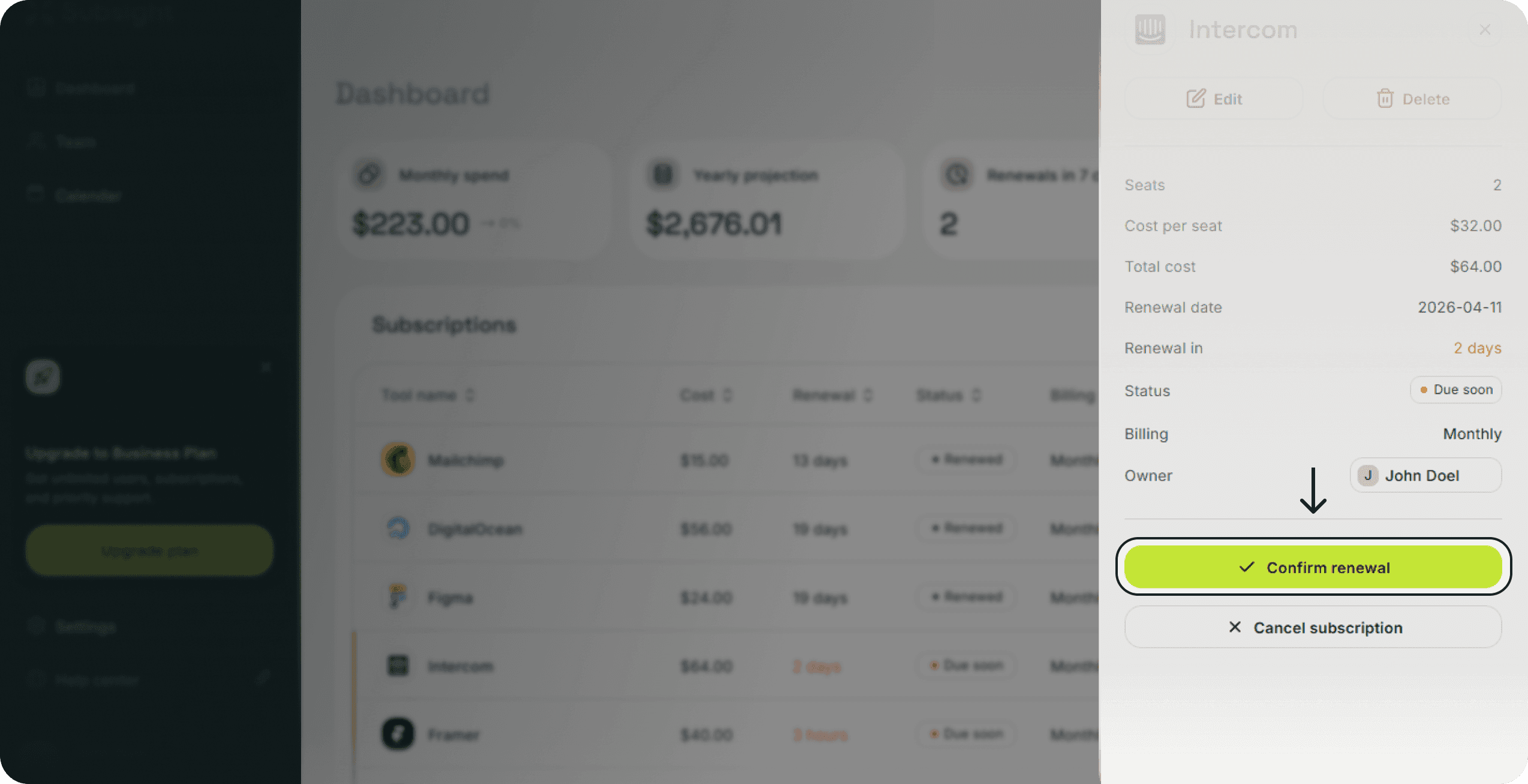
Click on the subscription row to open the details side panel.
Locate the large green Confirm renewal button at the bottom of the panel.
Click the button to verify that the payment was made.
Status Change: The tool will now display a green Renewed tag.
Next Date: The Renewal date will advance to the next billing cycle based on your frequency settings (Ex. Monthly or Yearly).
Alerts Reset: Any pending notifications for this cycle will be cleared.