
Search for articles


Searching and Sorting
As your tool stack grows, finding specific information quickly becomes essential. Subsight provides built-in tools to help you organize your dashboard by searching, filtering, and sorting your data.

Written by Petras Nargela
Written by Petras Nargela

Last updated on
1. Searching for Tools
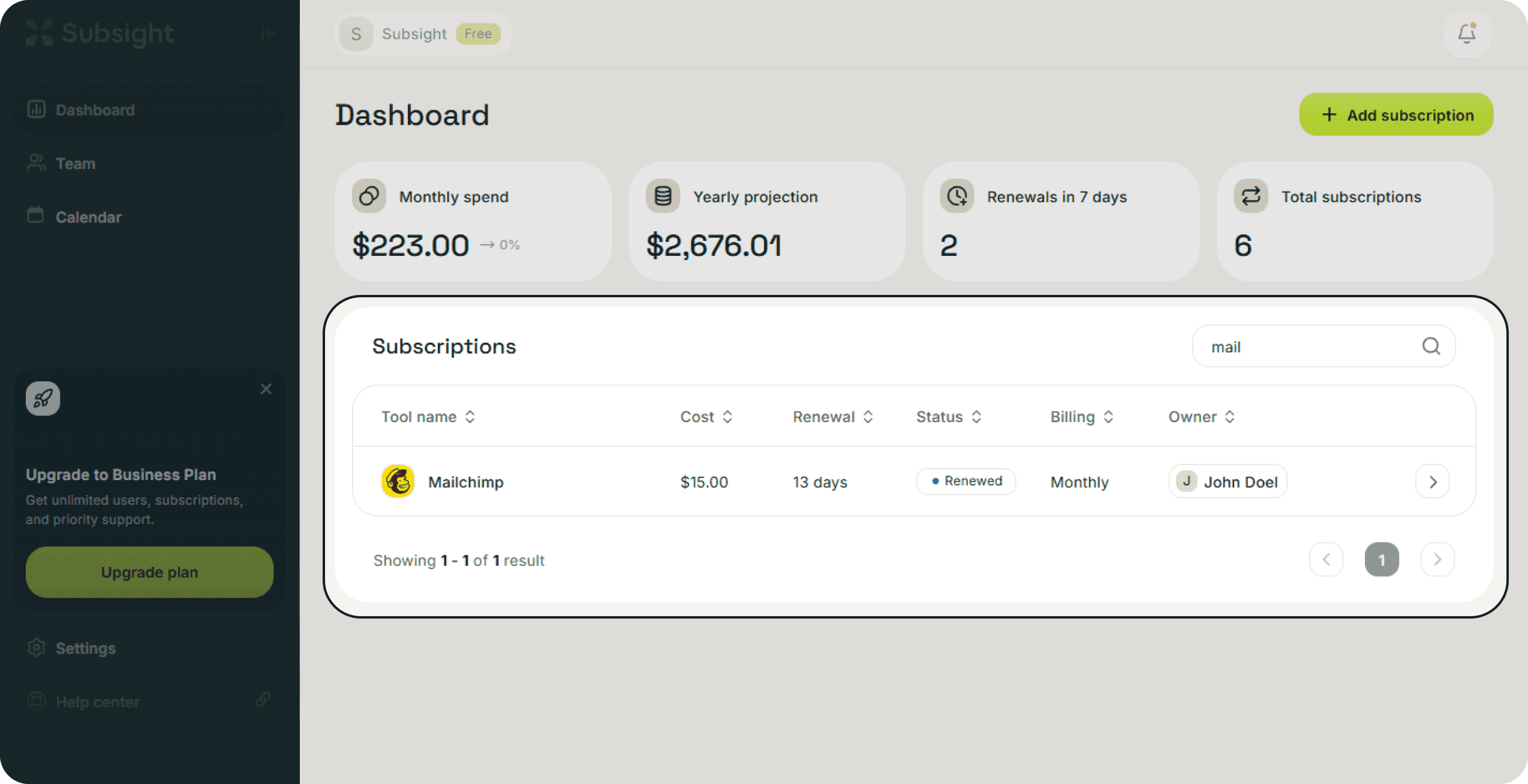
If you need to find a specific subscription quickly, use the search bar located at the top right of the subscriptions table.
How to use it: Type the name of the tool (Ex. "Framer" or "Postmark") to instantly filter the list.
2. Sorting Your List
You can reorganize the entire table based on specific columns to spot trends in your spending or upcoming deadlines.
Click the arrows next to the column headers to sort your data:
Tool name: Sort alphabetically to find tools by name.
Cost: Sort by price to identify your most expensive or least expensive subscriptions.
Renewal: Sort by the renewal timeline to see what is due most urgently.
Status: Group tools together by their current state, such as Renewed or Overdue.
Billing: Organize tools by their billing cycle (Ex. Monthly vs. Yearly).
Owner: Group tools by the team member responsible for them.
3. Table Navigation
If you have a large number of subscriptions, you can navigate through the list using the pagination controls at the bottom right of the table. This allows you to move between pages while keeping the interface clean and manageable.
1. Searching for Tools
If you need to find a specific subscription quickly, use the search bar located at the top right of the subscriptions table.
How to use it: Type the name of the tool (Ex. "Framer" or "Postmark") to instantly filter the list.
2. Sorting Your List
You can reorganize the entire table based on specific columns to spot trends in your spending or upcoming deadlines.
Click the arrows next to the column headers to sort your data:
Tool name: Sort alphabetically to find tools by name.
Cost: Sort by price to identify your most expensive or least expensive subscriptions.
Renewal: Sort by the renewal timeline to see what is due most urgently.
Status: Group tools together by their current state, such as Renewed or Overdue.
Billing: Organize tools by their billing cycle (Ex. Monthly vs. Yearly).
Owner: Group tools by the team member responsible for them.
3. Table Navigation
If you have a large number of subscriptions, you can navigate through the list using the pagination controls at the bottom right of the table. This allows you to move between pages while keeping the interface clean and manageable.


