Search for articles

Timezone Settings

Correctly configuring your timezone is vital for the accuracy of your notifications. Subsight uses this setting to trigger renewal alerts at the appropriate local time, preventing reminders from arriving in the middle of the night or after a deadline has passed.

Written by Petras Nargela

Written by Petras Nargela

Last updated on

1. Accessing Account Settings

To update your personal preferences:

  1. Click on Settings in the bottom-left sidebar.

  2. Select the Account tab at the top of the Settings page.

2. Selecting Your Timezone

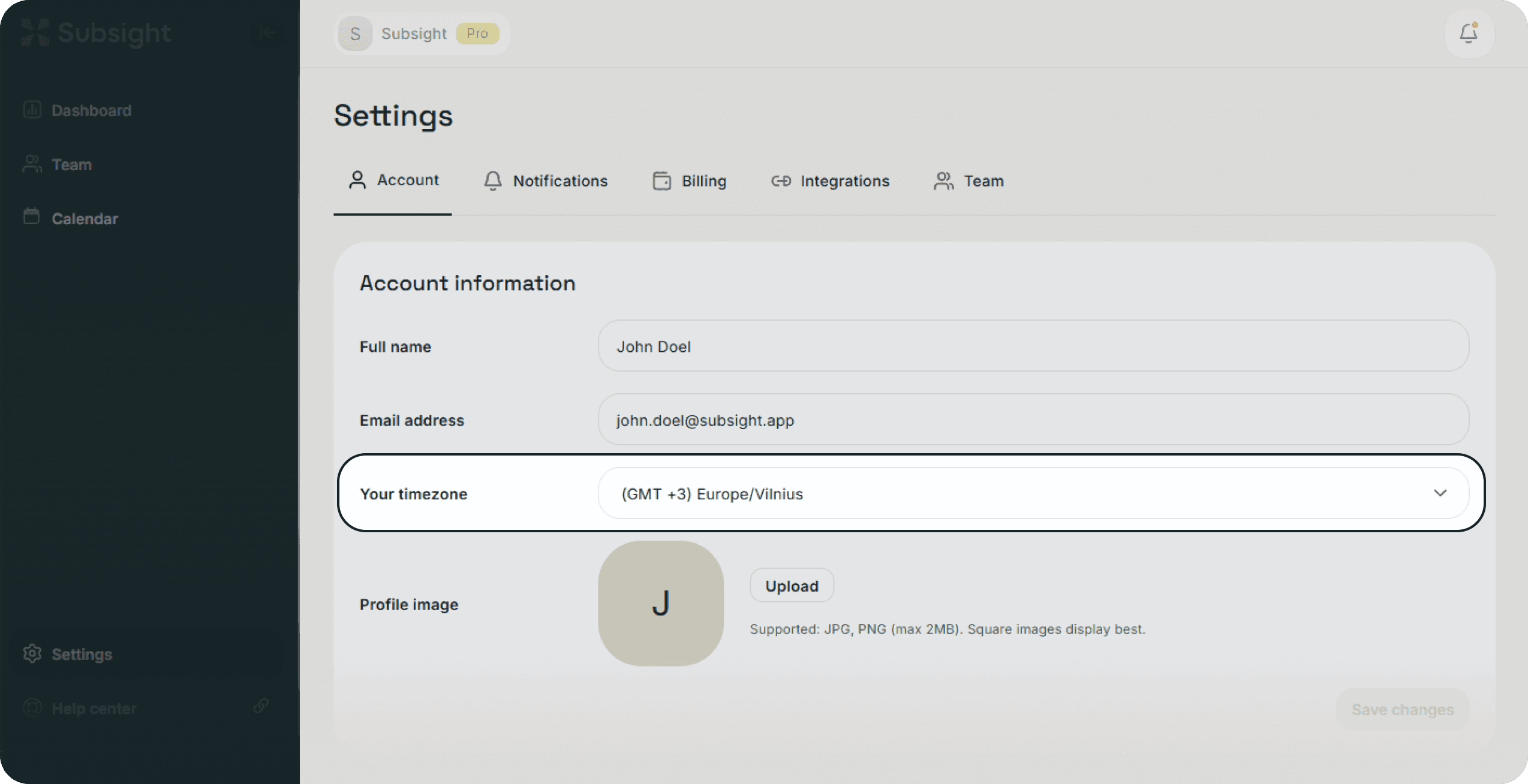
Your timezone setting is located within the Account information section.

  • Click the Your timezone dropdown menu.

  • You can scroll through the list or use the search bar within the dropdown to quickly find your specific region (Ex. "America/New_York" or "Europe/London").

  • Once selected, the platform will automatically synchronize your dashboard and notification schedule to your local time.

Subsight account settings page with timezone dropdown and searchable region selection.

3. Why This Matters

Because Subsight sends automated Upcoming, Due soon, and Overdue alerts, having the wrong timezone can lead to confusion regarding exactly when a tool is set to renew. Ensuring this is set correctly guarantees that your "Renewal Day" alerts hit your inbox or Slack channel exactly when you expect them.

1. Accessing Account Settings

To update your personal preferences:

  1. Click on Settings in the bottom-left sidebar.

  2. Select the Account tab at the top of the Settings page.

2. Selecting Your Timezone

Your timezone setting is located within the Account information section.

  • Click the Your timezone dropdown menu.

  • You can scroll through the list or use the search bar within the dropdown to quickly find your specific region (Ex. "America/New_York" or "Europe/London").

  • Once selected, the platform will automatically synchronize your dashboard and notification schedule to your local time.

Subsight account settings page with timezone dropdown and searchable region selection.

3. Why This Matters

Because Subsight sends automated Upcoming, Due soon, and Overdue alerts, having the wrong timezone can lead to confusion regarding exactly when a tool is set to renew. Ensuring this is set correctly guarantees that your "Renewal Day" alerts hit your inbox or Slack channel exactly when you expect them.