If your work email changes, you can update your login address to ensure you continue receiving notifications and invoices.
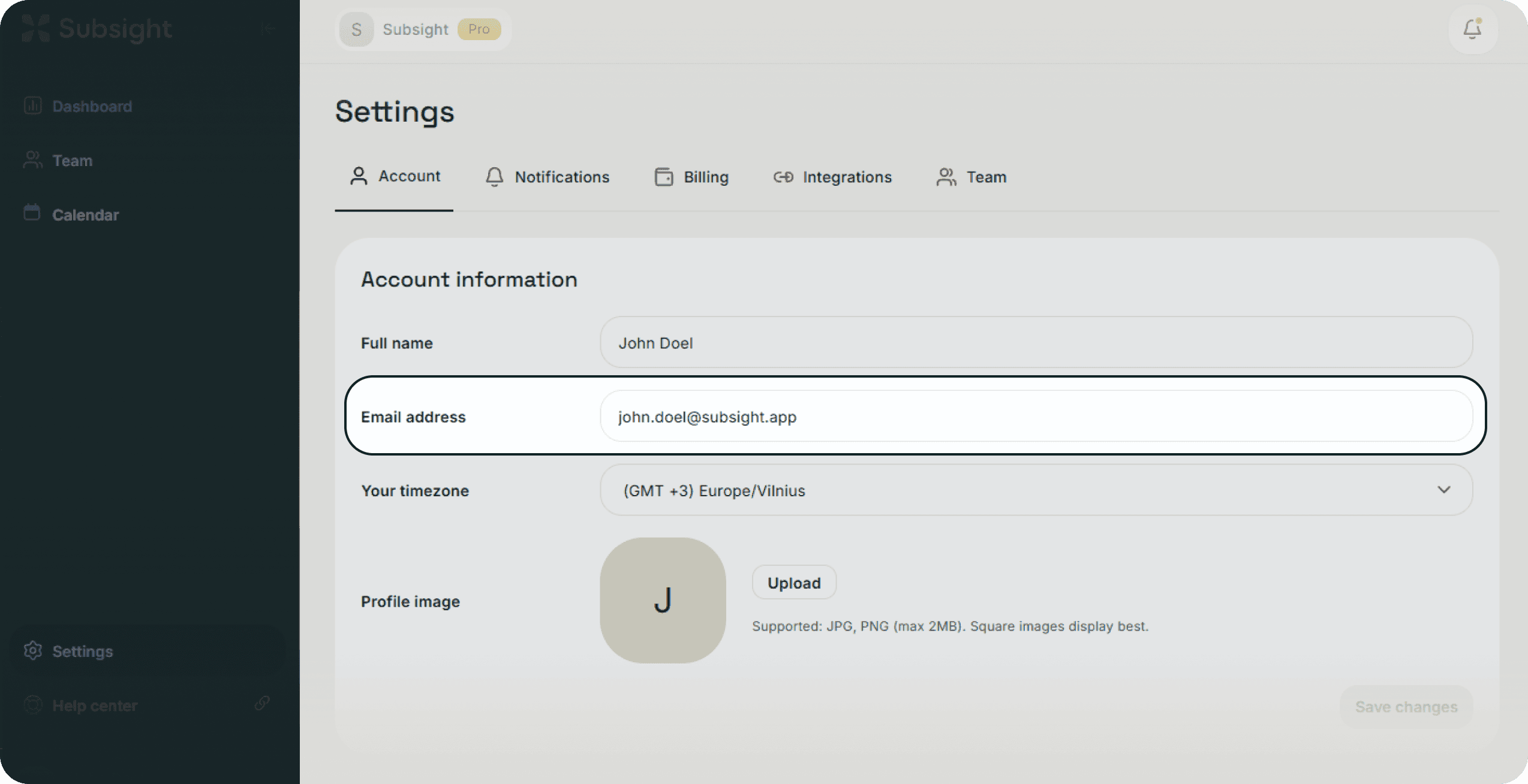
Click on Settings in the bottom-left sidebar.
Select the Account tab.
Locate the Email address field under Account information and enter your new address.
Click the Save changes button that appears on the right to apply the update.
We recommend updating your password periodically to maintain high security for your workspace.
In the Account tab, scroll down to the Password section.
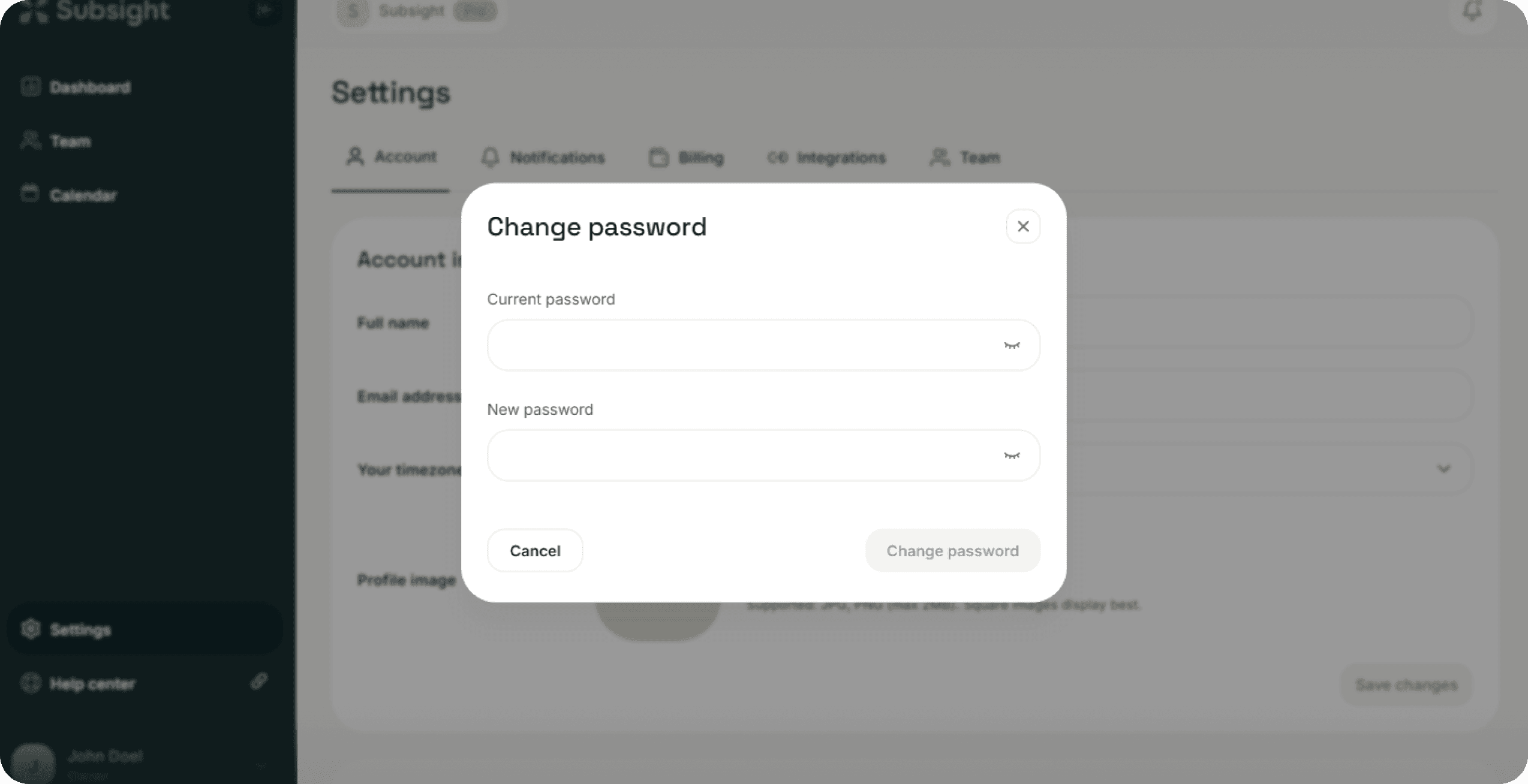
Click the green Change password button.
A modal will appear requiring you to enter your Current password to verify your identity.
Enter your New password in the second field.
Click the Change password button within the modal to finalize the update.