
Search for articles


Deleting Your Account
If you no longer wish to use Subsight, you can choose to delete your individual account at any time. This action is significant and should be performed with caution.

Written by Petras Nargela
Written by Petras Nargela

Last updated on
1. Access Account Settings
To begin the removal process:
Navigate to Settings in the bottom-left sidebar.
Select the Account tab at the top of the page.
2. Initiate Account Removal
Scroll to the bottom of the page to find the Account removal section. Click the red Delete account button.
3. Confirm and Provide Feedback
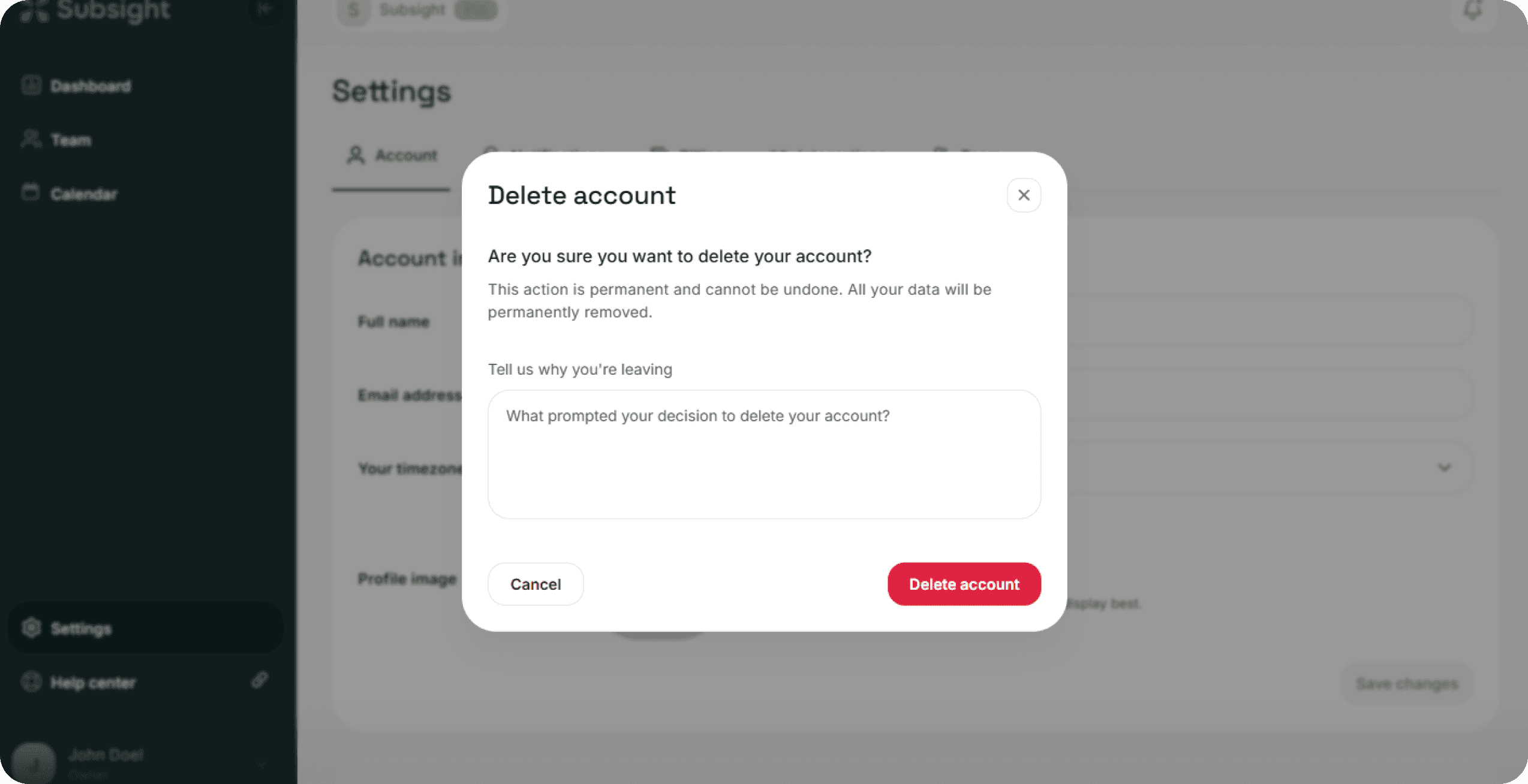
A confirmation modal will appear to ensure this action is intentional:
Warning: The modal informs you that this action is permanent and cannot be undone, and all of your personal data will be permanently removed.
Feedback: You will be prompted to share a reason for leaving in the provided text field.
Final Confirmation: To complete the process, click the red Delete account button within the modal.
4. Important Considerations
Data Loss: Once deleted, your personal profile, individual settings, and history cannot be recovered.
Workspace Impact: If you are the owner of a workspace, ensure you have transferred ownership to another team member or exported necessary data before deleting your account, as your departure may affect the workspace's administrative access.
1. Access Account Settings
To begin the removal process:
Navigate to Settings in the bottom-left sidebar.
Select the Account tab at the top of the page.
2. Initiate Account Removal
Scroll to the bottom of the page to find the Account removal section. Click the red Delete account button.
3. Confirm and Provide Feedback
A confirmation modal will appear to ensure this action is intentional:
Warning: The modal informs you that this action is permanent and cannot be undone, and all of your personal data will be permanently removed.
Feedback: You will be prompted to share a reason for leaving in the provided text field.
Final Confirmation: To complete the process, click the red Delete account button within the modal.
4. Important Considerations
Data Loss: Once deleted, your personal profile, individual settings, and history cannot be recovered.
Workspace Impact: If you are the owner of a workspace, ensure you have transferred ownership to another team member or exported necessary data before deleting your account, as your departure may affect the workspace's administrative access.


Account & Security
