
Search for articles


Data Privacy & Security
Security and privacy are fundamental to how we handle your organization's subscription data. Subsight provides tools for individual users and workspace owners to manage their data footprint and ensure account integrity.

Written by Petras Nargela
Written by Petras Nargela

Last updated on
1. Personal Data Management
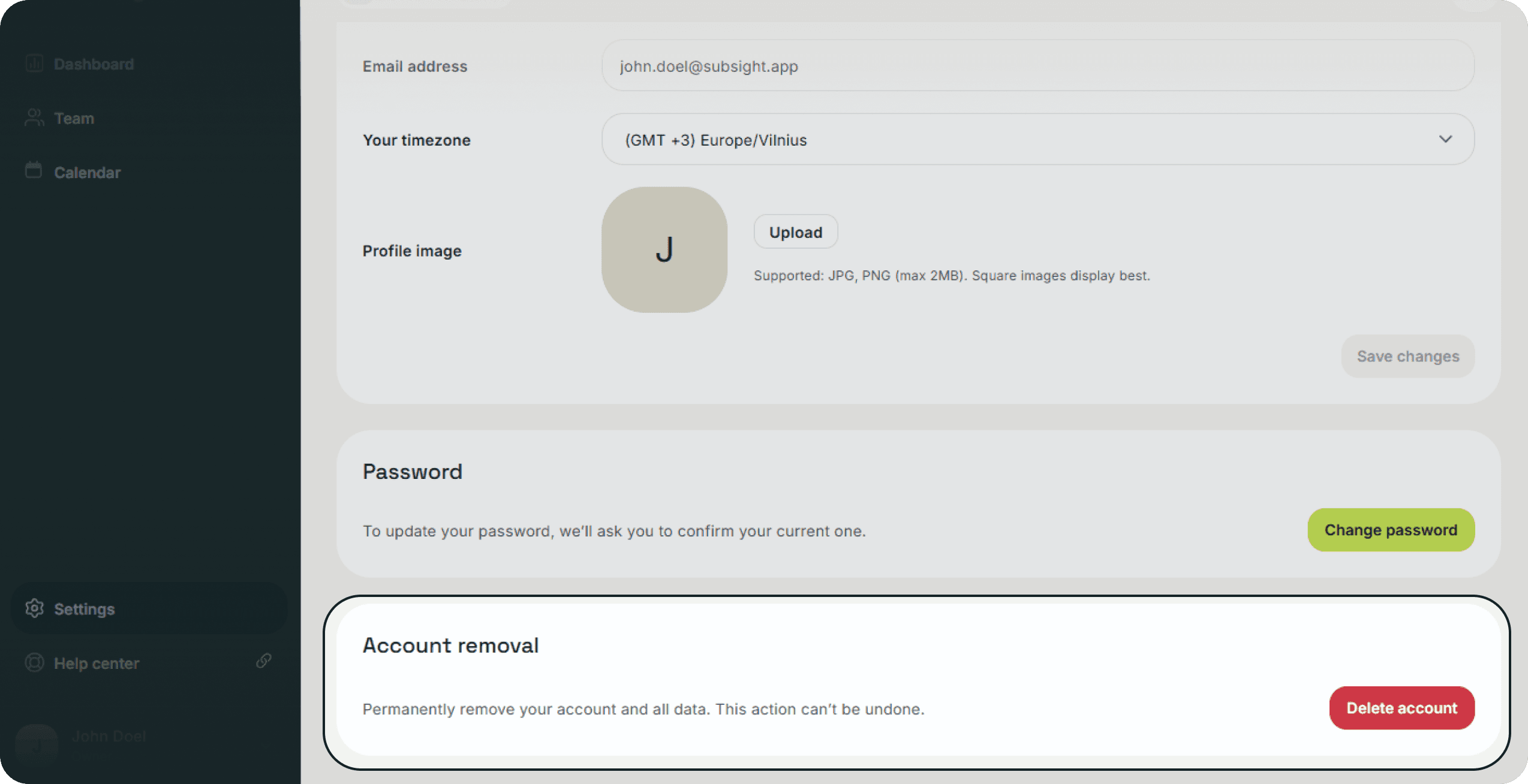
Individual users maintain control over their profile information. You can update your Full name, Email address, and Profile image at any time to ensure your identity within the workspace is accurate.
2. Account Removal
If you no longer wish to use the platform, you can permanently delete your individual account.
How to delete: Navigate to the Account tab in settings and locate the Account removal section.
Impact: Clicking Delete account will permanently remove your personal profile and all associated data. This action is irreversible.
3. Workspace Security & Deletion`
Workspace owners have the additional responsibility of managing the entire team's data.
Team Data Control: Owners can revoke access for any team member by using the Delete function within the Team page sidebar, ensuring that former employees can no longer view sensitive financial data.
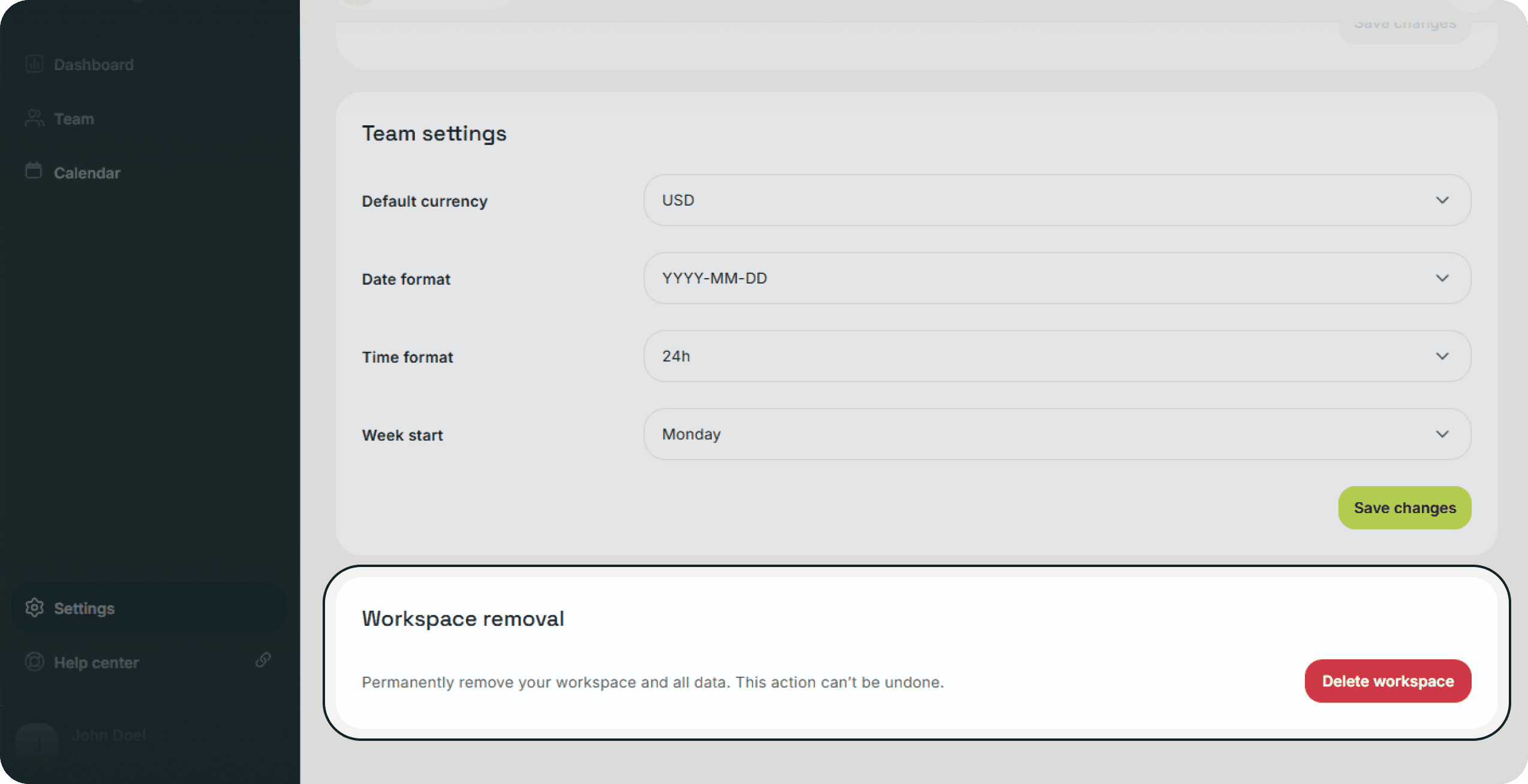
Workspace Removal: If your organization decides to stop using Subsight, the workspace owner can delete the entire workspace under the Team settings tab.
Permanent Action: Clicking Delete workspace will permanently remove the workspace and all subscription data for every member. Like individual account removal, this action cannot be undone.
1. Personal Data Management
Individual users maintain control over their profile information. You can update your Full name, Email address, and Profile image at any time to ensure your identity within the workspace is accurate.
2. Account Removal
If you no longer wish to use the platform, you can permanently delete your individual account.
How to delete: Navigate to the Account tab in settings and locate the Account removal section.
Impact: Clicking Delete account will permanently remove your personal profile and all associated data. This action is irreversible.
3. Workspace Security & Deletion`
Workspace owners have the additional responsibility of managing the entire team's data.
Team Data Control: Owners can revoke access for any team member by using the Delete function within the Team page sidebar, ensuring that former employees can no longer view sensitive financial data.
Workspace Removal: If your organization decides to stop using Subsight, the workspace owner can delete the entire workspace under the Team settings tab.
Permanent Action: Clicking Delete workspace will permanently remove the workspace and all subscription data for every member. Like individual account removal, this action cannot be undone.


Account & Security
